How to improve customer satisfaction survey? 8 online customer survey tools
Wanna improve customer satisfaction survey? Here are 8 online customer survey tools for measuring customer satisfaction metric and customer experience.

Table of contents


Éclipsez la concurrence avec Google Maps
Gérez et suivez la visibilité de vos profils d`entreprise Google
Would you like to raise the standards of customer service, but you don't know where to start? What might meet your needs are modern technologies that allow you to automate the process and improve the level of customer satisfaction. They will shorten the response time to consumers' questions, standardize the answer process and increase the effectiveness of communication. All of this is to reassure consumers that they can always count on your support.
According to research, over 70% of customers resign from working with you if they negatively evaluate the level of service in your company. Prepare communication standards with customers starting today, and you will learn about the needs of your consumers as well as gain a chance to build a long-term relationship.
We realize that the choice of online customer service tools is broad, and the multitude of applications and platforms does not help you make a decision. Therefore, we have prepared a list of solutions that should start your adventure with new technologies in order to improve the customer service process.
Tools for multi-channel customer service
Multi-channel contact with the customer is aimed at ensuring consistent service, regardless of the form of contact that the user chooses. Omnichannel is about creating the best customer experience in each of the communication channels by building a unique relationship. The integrated customer service could be handled by the helpdesk systems available on the market, which will streamline and organize the process of communication with the client by providing him with appropriate support.
Zendesk vs Intercom
Both platforms provide comprehensive customer service via chat and e-mail. Both are helpdesk solutions that aggregate the most important information about consumers in one place, which makes them particularly useful in the sales process and after-sales service.
Zendesk helps you aggregate messages from customers from the channels you are interested in, such as the contact form, chat, or mailbox, but also from external platforms, such as Facebook. Based on customer data, for example, communication history, the system directs a query to your employee who is most competent in a given area. The tool also enables telephone communication with the company, and each connection is registered in the system. So if you forget to raise an important point during the conversation, you can come back to it later and answer the customer's question.
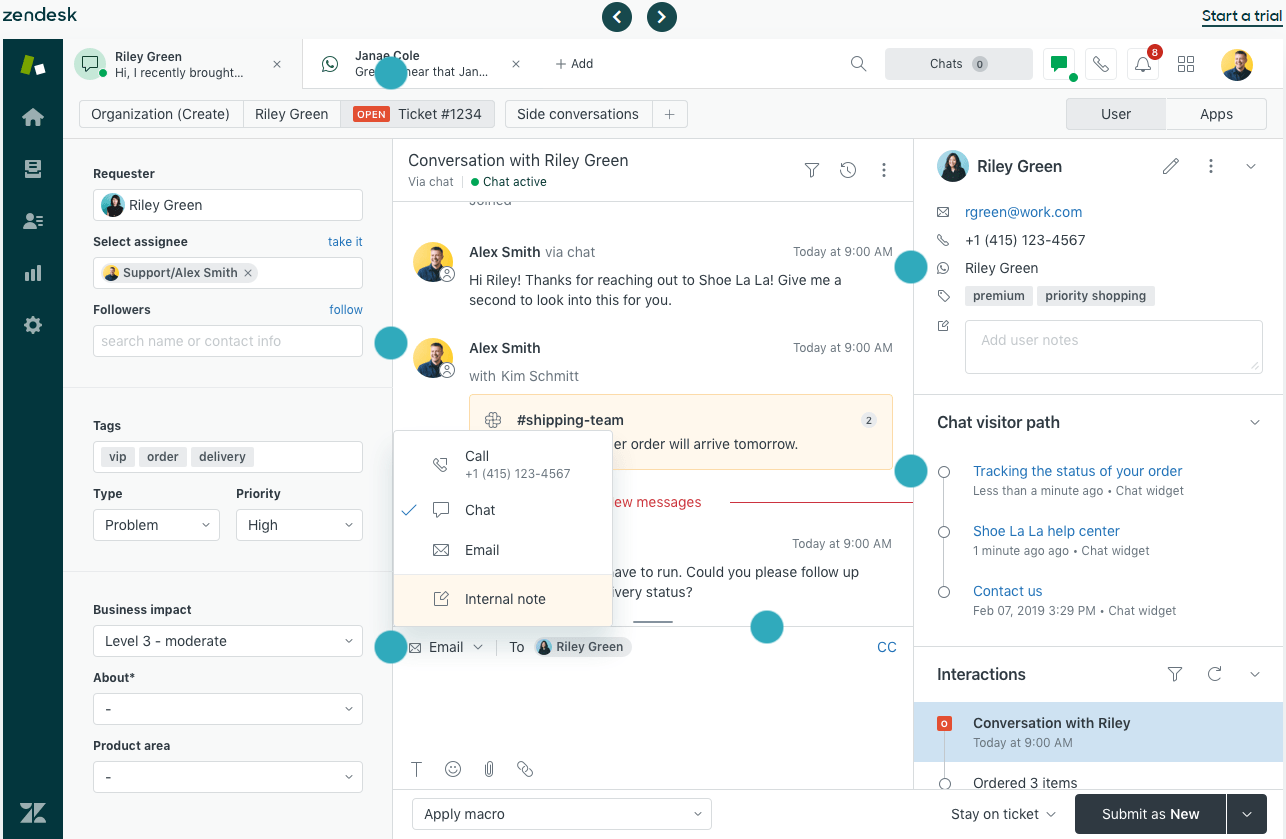
On the other hand, Zendesk Chat is a communicator that gives a chance for a quick response, using ready-made reply templates, but with a chance to personalize them. What's more, it allows you to analyze the traffic on your website, actions taken by users, and visited subpages on an ongoing basis. Based on that data, you can start a conversation with the customer yourself - thus anticipating his needs and improving the shopping experience. Other functionalities include Zendesk Guide and Explore, which facilitate the creation of a knowledge base and the generation of analytical reports based on the collected information, respectively. It is an ideal solution if you are thinking about providing a consistent customer experience across every communication channel.
In online contact with the client, Intercom will also prove to be great, its main advantage being an extensive chat. However, it can be even more useful, because the tool is also worth using for sending mailings or newsletters. Intercom also works very well in creating a well-organized knowledge base that makes it easier for customers to find solutions on their own. Another task that this system can handle is the automatic sending of messages to users who are currently visiting your website. The chat window opens with a default message, which can be anything from "Hello, how can I help you" to "Be sure to read this article ...". E-mail sequences can also be sent to customers, depending on what stage of the purchase they are at: after registering on the website, using the trial period or leaving the basket.
Both tools do not fail when it comes to customer service in the form of inquiries and knowledge base. However, let's check which one wins in each category:
- basic settings - Intercom is certainly easier to set, but remember that it also offers fewer solutions. Zendesk guarantees more features, so it will naturally take some time to learn this tool.
- the intuitiveness of the tool - here, too, Intercom wins decisively - a quick glance at the interface of each panel is enough to see that Zendesk still needs to learn its lesson in the transparency and simplicity of the system.
- customer support - although each tool has the option to create a knowledge base, the one offered by Zendesk is easier to navigate. Zendesk scores another point for the possibility of contacting customers with the 24/7 service department, while the Intercom support department will be available live only during working hours.
- unique functions - in this category the duel is even, Zendesk is ahead of the competition when it comes to sales opportunities, while Intercom offers a wider range of communication scenarios.
Measuring customer satisfaction survey
Customer reviews are one of the most valuable hints that you should follow when running your business. They set the direction of your company's development. If you are facing the challenge of measuring the level of customer satisfaction, choose proven and attractive ways that will encourage consumers to share their experiences.
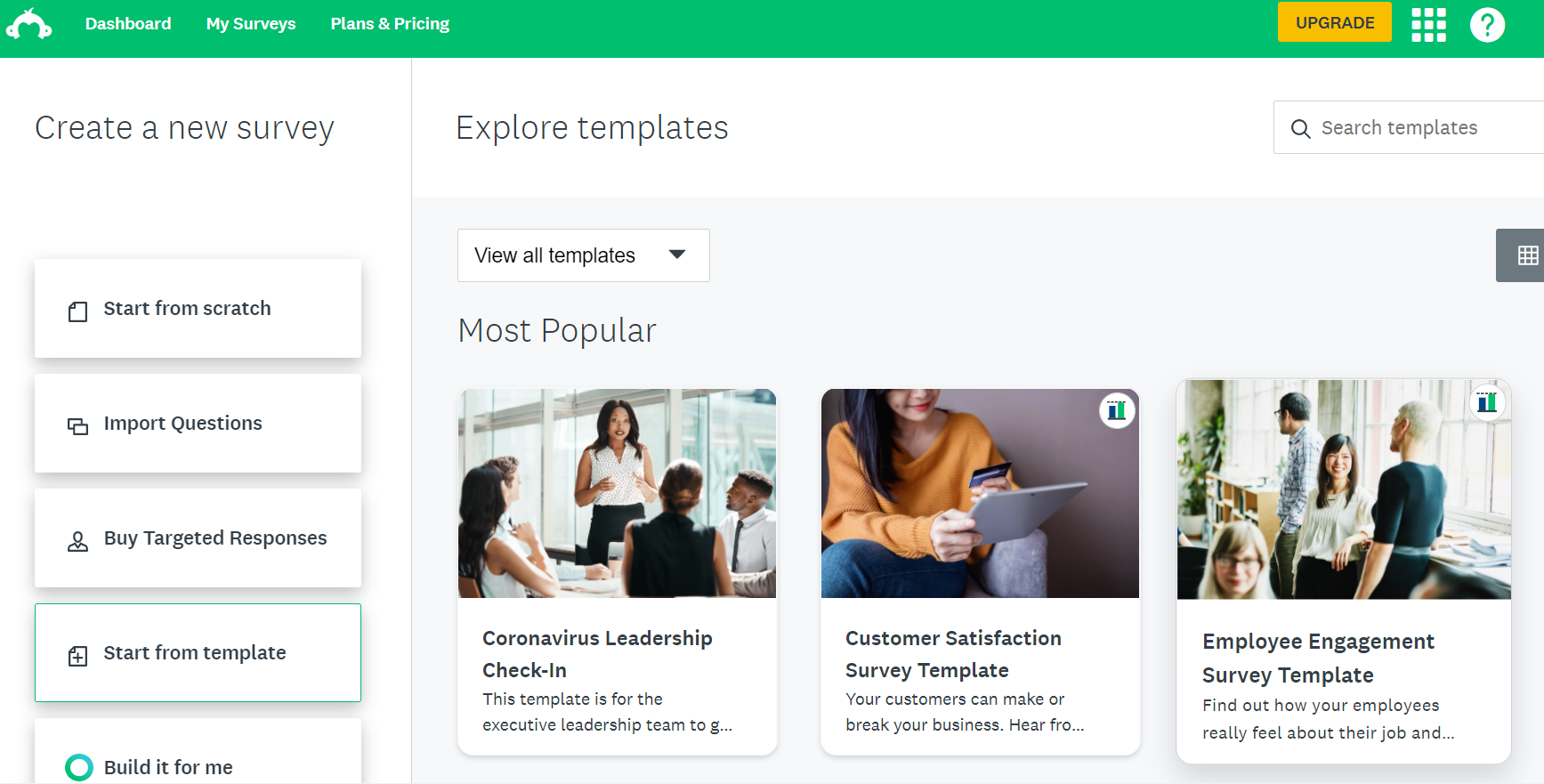
If feedback is important to you, use SurveyMonkey, which lets you create functional questionnaires. The application should be integrated with your e-mail to be able to use ready-made templates or create your own surveys from scratch. There are many ways to share questionnaires, including via mail, chat, and social media. After the shipment, you can also analyze your results and use advanced functions to analyze the obtained data.
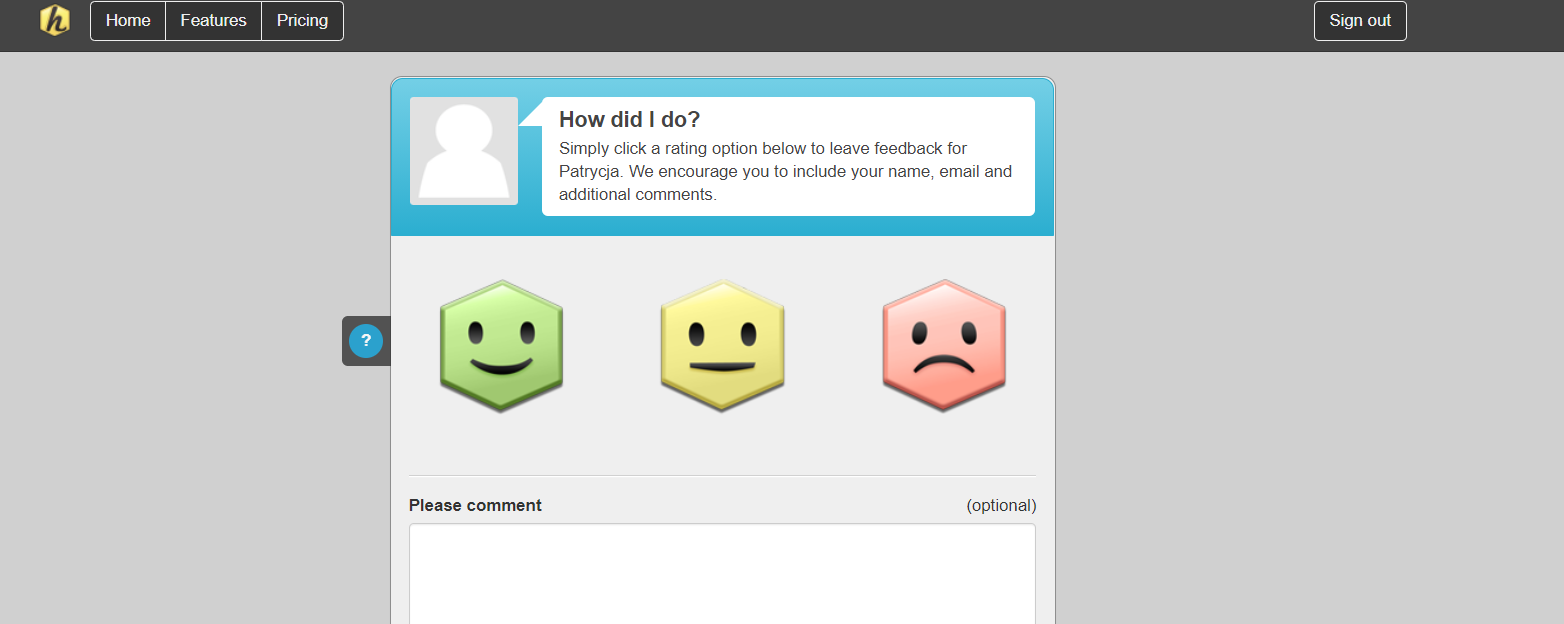
If you don't want your customers to deal with completing a satisfaction survey, then Hively is here to help. It is an easy way for customers to leave feedback on the services or products we offer. We can choose from 3 smileys: red, yellow, and green, and a field in which we justify our choice. You can even attach the survey to the footer in the email, reminding customers that feedback is of great importance in increasing their satisfaction with the transactions made.
Knowledge base
Nowadays, customers are looking for immediate answers to their questions, so be sure that before contacting the company itself, they will want to solve the problem themselves. Make sure they get information quickly from a trusted source. Knowledge bases on the official website or FAQs on social and consumer websites will help greatly. This type of self-service is good for solving less complex problems and allows you to deal with more complex queries in the meantime.
Admittedly, tips on choosing a tool that will handle the knowledge base for customers have already been given. However, since on the market there are many solutions dedicated to this issue only, let's also follow the tool created to share our know-how with customers.
Help Scout
In addition to the features typical of other helpdesks, Help Scout facilitates the creation of a unique knowledge base. It will support you in the process of publishing and organizing content and will help clients find the information they need. The software has a practical content management system, a function that facilitates the display of responses in popular search engines such as Google is one example. Why is it so important? Because some customers will seek help not only in the knowledge base but also from within the browser. More pros include categorizing and segmenting the content into logical sections so that navigation will not be a problem for anyone. Help Scout also generates reports that will show you what people are looking for and what not, providing ideas for future entries. Summaries can also tell you if your articles fill the information gap and if your responses are satisfactory for your customers. And most importantly, you do not need a multitude of developers to update and expand the database - every employee will certainly cope with this task.
Groove
Similar to Help Scout, Groove is used in several areas of customer service, we will only focus on the possibility of building a knowledge base with it. Its uniqueness lies in the optimization of the database in terms of SEO and adapting it to mobile devices. By introducing their own CMS system, the creators proposed a number of novelties for administrators - viewing articles by status (published, unpublished, drafts), indicating the most popular searches, or automatically saving changes so that you never have to worry about losing your work. With Groove, your online library will gain an appropriate structure and attractive design, and above all, it will reduce the effort of customers in finding answers.
CRM tools
CRM systems are business software designed to manage a company's interactions with its current and potential customers. This is our command center where we store all the data about our contacts to facilitate the workflow within the company and automate the customer service process.
HubSpot
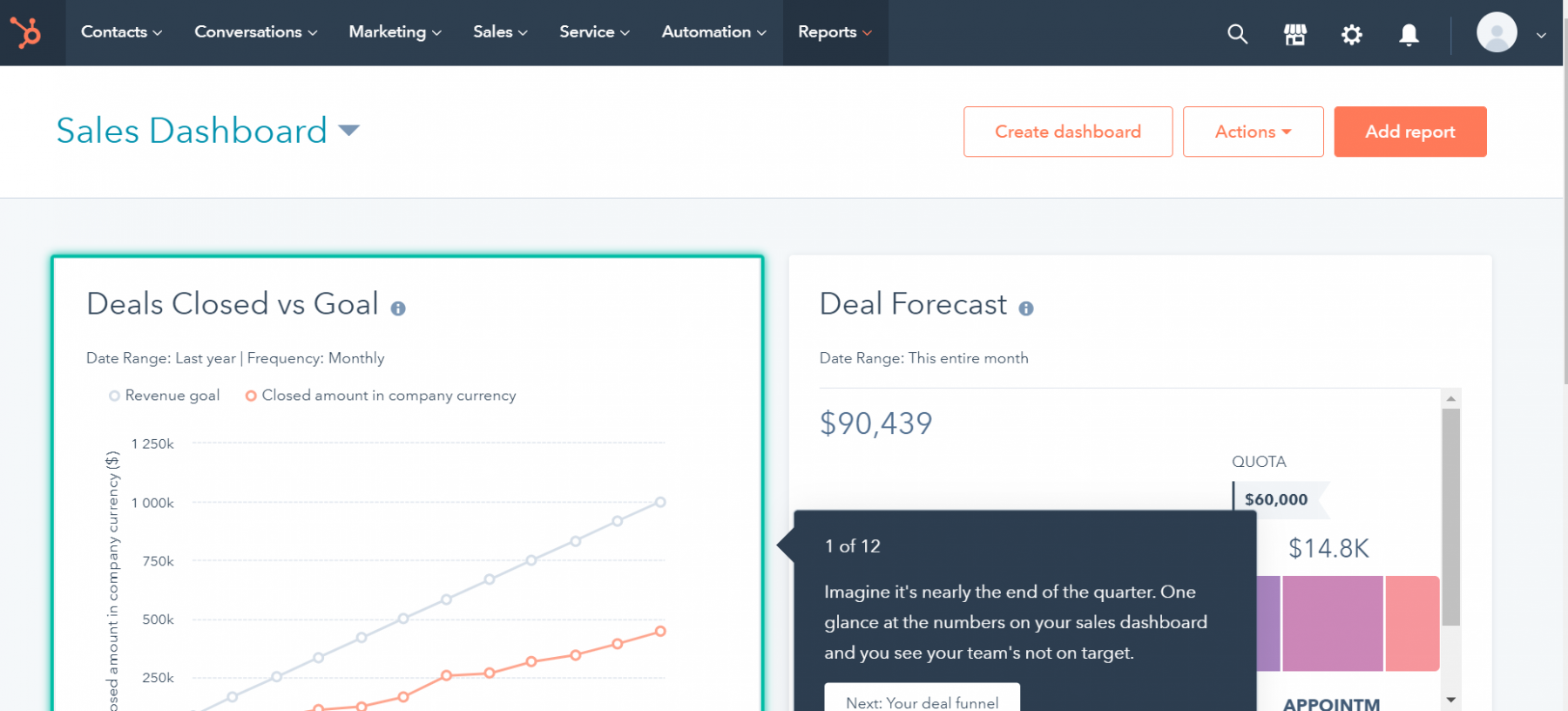
It is a customer relationship management platform that enables you to monitor user interactions through multiple channels, including social media, email, and a helpline. HubSpot CRM will be useful at every stage of the customer's shopping journey because it perfectly combines the work of the sales, marketing, and customer service teams. This ensures consistent communication and greater efficiency of activities, which will lead you to achieve the most important goal - an increase in sales. The tool collects information about customers so that you can manage transactions, monitor the behavior of leads on the sales path, and personalize communication. the platform's advantage is the comprehensiveness of the proposed solutions and the consolidation of many tools in one place.
Pipedrive
Pipedrive is perfect for small and medium-sized businesses, you should reach for it if you want to improve your sales results. The software focuses on three areas: managing sales opportunities, automating administrative tasks, and tracking the history of conversations with the customer. The panel presents the tasks to be performed and necessary to achieve our goals clearly, and the full history of contacts allows you to schedule the talks. More importantly, PipeDrive organizes your leads in a way that allows you to focus on the transactions with the highest priority. All of the above makes it a universal system.
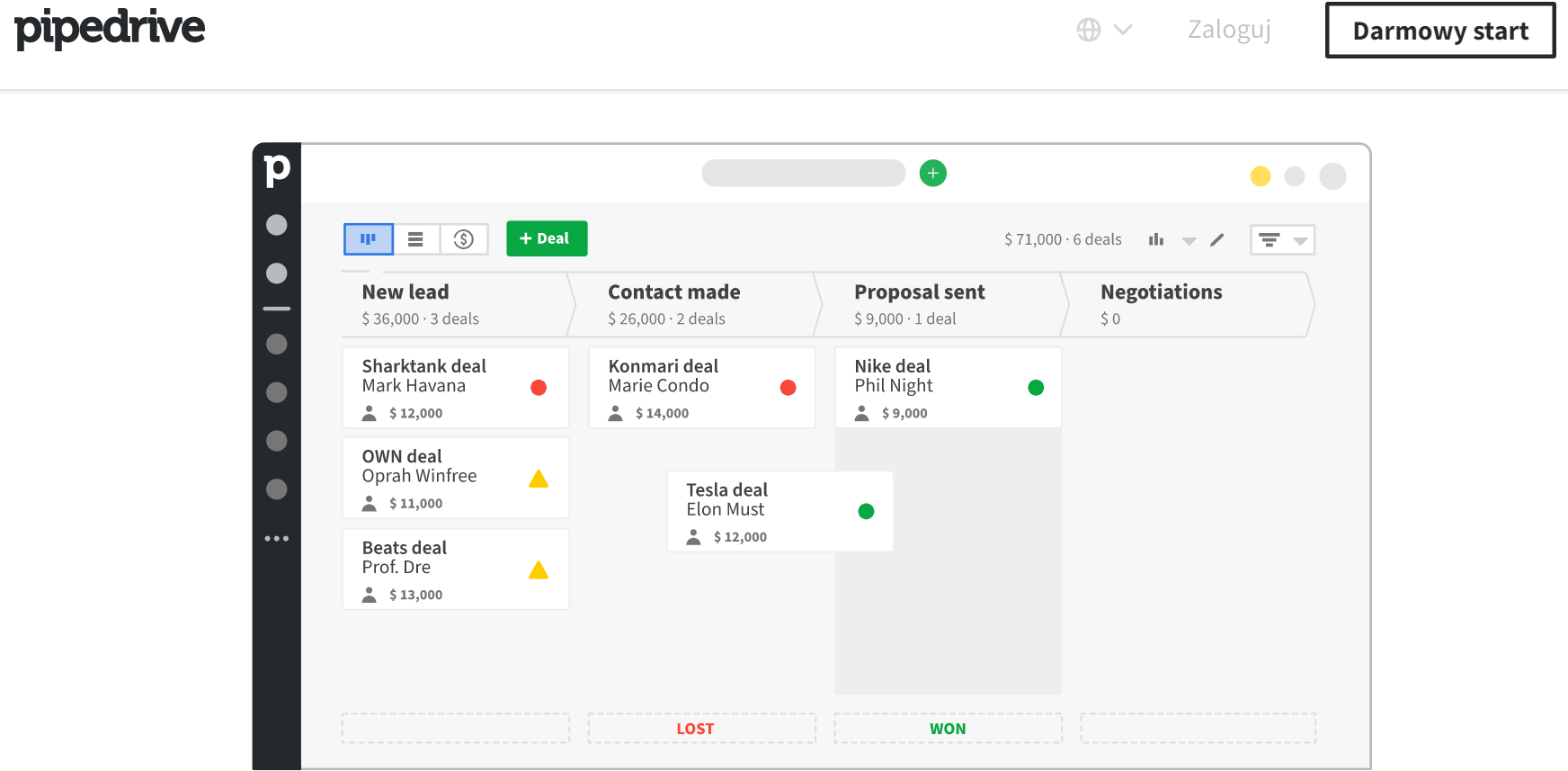
Other popular CRM systems are, for example, Salesforce, NetHunt CRM, or Livespace.
Currently, providing a consistent customer experience in each of the communication channels is a standard of customer service. In your efforts to gain loyal users, use tools that support communication with users. Regardless of whether you run a small online store or are the head of sales representatives in a large enterprise, you need support in nurturing relationships with the recipients of your products or services. We hope that the above-mentioned tools for conducting effective customer service will bring satisfaction not only to consumers but also to you.
Share this article
Short description (you can edit)
Tip: you can edit the description before sharing on WhatsApp or adding as Facebook quote
Author of the post
Please rate this article
Éclipsez la concurrence avec Google Maps
Gérez et suivez la visibilité de vos profils d`entreprise Google